


Gempix2

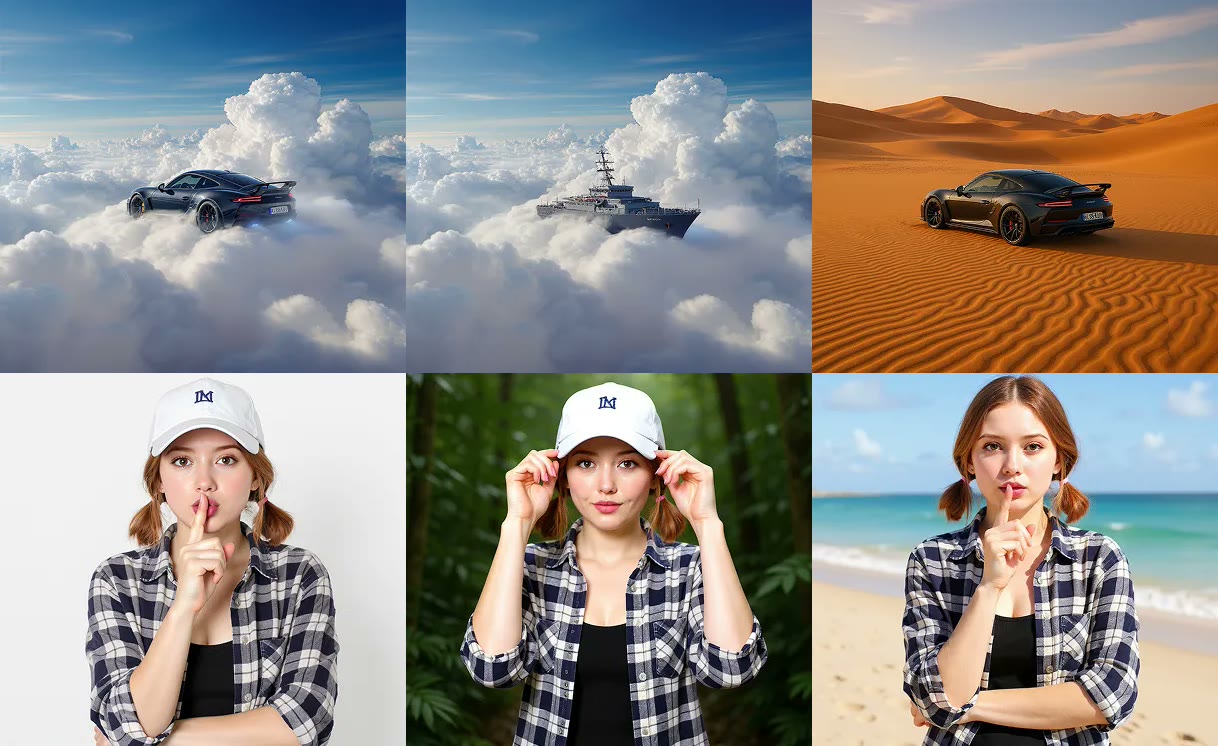
Gempix2 workbench layout collage for generation and prompt-based edits, not confirmed Nano Banana 2 output
Sample workbench layout
Session history
Images generated in this session will appear here.

Quick answer

Gempix2: Nano Banana 2 image generator and editor

Gempix2 is a Grok Imagine browser workbench for text-to-image generation and prompt-based image editing with Nano Banana 2 (default) and Nano Banana Pro.

In Gempix2, type a prompt, optionally upload up to 14 JPG, PNG, or WebP references on Nano Banana 2 (eight on Pro), choose 1K, 2K, or 4K, then review the still before download, continue editing, upscale, or animation.

Gempix2 is not Gemini, not Google AI Studio, and is not affiliated with Google. Opening the workbench is free; a signed-in run spends site credits. Nano Banana 2: 30/50/70 for 1K/2K/4K. Pro: 45 for 1K or 2K, 60 for 4K.

The example stills show Gempix2 workbench layout only. They are not confirmed Nano Banana 2 or Pro outputs.

Published September 18, 2026 · Last updated September 18, 2026

Try Gempix2

Tool details

FieldValue
Primary workflowGempix2 text-to-image and image-to-image in one workbench
Default modelNano Banana 2, with Nano Banana Pro available in the picker
ReferencesOptional. Up to 14 stills on Nano Banana 2, or 8 on Pro
Last updatedSeptember 18, 2026

Examples

Gempix2 examples

Each card pairs a visible Gempix2 prompt with the intended change and a sample still. The images show workbench layout only; they are not claimed as live Nano Banana outputs.

Sample still used to show a Gempix2 text-to-image layout, not confirmed Nano Banana 2 outputSource

Text-to-image campaign still

Source
Written prompt only. No reference upload.
Instruction
A studio product photo of a matte black water bottle on wet stone, soft rim light, sharp label type, 3:4 portrait.
Setting
Nano Banana 2, 2K, 3:4

Workbench layout sample, not a Gempix2 model output. Start without a file when the still does not exist yet. Name subject, lighting, ratio, and any visible words.

Sample portrait used to explain a Gempix2 background change with one referenceSource

Background replacement on a portrait

Source
Portrait still used as a workbench layout sample
Instruction
Replace the background with a clean modern studio, keep the person, clothing, and face unchanged, preserve realistic edges.
Setting
Nano Banana 2, one reference, 1K

Workbench layout sample, not a Gempix2 model output. Upload a source when the subject is already right. Say what must stay as clearly as the new scene. Inspect hair edges after the run.

Sample product still used to illustrate a Gempix2 object and label editSource

Object and label change on a pack shot

Source
Product still used as a workbench layout sample
Instruction
Replace the speaker grille with a brushed-metal mesh, keep the bottle shape, lighting, and studio background unchanged.
Setting
Nano Banana Pro, one reference, 2K

Workbench layout sample, not a Gempix2 model output. Use Nano Banana Pro when edges, materials, or short on-image text must stay tight. Quote replacement words exactly.

Core controls

What this workbench can do

Keep the Gempix2 prompt, optional references, Nano Banana 2 or Pro, ratio, and preview in one workspace before you spend credits.

Generate a still from text when you have no source

Open the workbench, write the scene, and get a first still without leaving the page to find another generator.

Gempix2 accepts a prompt with no upload and returns a 1K, 2K, or 4K still using Nano Banana 2 or Pro.

Input: a written prompt plus ratio and resolution. Output: one generated still in the result panel.

Edit an existing photo with a keep/change prompt

Keep identity, product shape, or layout while changing one local part of the still.

Gempix2 accepts optional references. Nano Banana 2 allows up to 14 images; Pro allows eight.

Input: a source still plus a targeted instruction. Output: a revised still you can inspect against the original.

Nano Banana 2 first, Pro when fidelity matters

Default to the faster Gempix2 model for iteration. Switch to Pro only when labels, likeness, or material detail drift.

Nano Banana 2: 30/50/70 for 1K/2K/4K. Pro: 45 for 1K or 2K, 60 for 4K.

Input: model plus resolution. Output: one still at the selected tier.

Continue the next change on this Gempix2 page

Keep generation and prompt-based edits on one URL instead of bouncing between a generator and a separate editor.

After a Gempix2 result, Continue editing reuses that still as the next reference on this page and clears the prompt so you describe only the next change.

Input: a completed still. Output: a downloadable file you can edit again, upscale, or animate.

How to

How to use Gempix2

Start from text or from a source you have rights to, write one targeted instruction, then compare the result before the next change.

  1. 1

    Write the prompt or add a source

    Describe the still you want, or upload a JPG, PNG, or WebP you have the right to edit. Gempix2 works from text alone or from a reference plus instruction.

  2. 2

    Name what must stay and what must change

    In Gempix2, quote replacement text exactly and lock identity, lighting, or product silhouette. For a new still, name subject, camera, lighting, and ratio.

  3. 3

    Pick Nano Banana 2 or Pro, then generate

    In Gempix2, keep Nano Banana 2 for most passes. Switch to Nano Banana Pro when product edges or short on-image lettering must hold. Choose 1K to test, then raise resolution once layout looks right.

  4. 4

    Inspect, download, or continue

    In Gempix2, check identity, edges, and lettering before you download. Continue editing on this page, or send a finished still to upscale or image-to-video. Sign-in is required before credits are spent.

Settings

Model, references, and resolution

Use this table to pick a Gempix2 model, reference count, and resolution that match the job.

SettingAvailable optionsBest for
ModelNano Banana 2 (default) or Nano Banana ProNano Banana 2 for a fast Gempix2 pass. Pro when product edges, likeness, or short on-image text must stay tight.
Reference images0–14 on Nano Banana 2, 0–8 on ProNo file for a new still. One source for a local change. Extra references only when you merge a subject into another scene.
PromptText instruction, up to 20,000 characters on Nano Banana 2Keep/change language, quoted replacement text, lighting, and material constraints.
Resolution and creditsNano Banana 2: 30/50/70 for 1K/2K/4K. Pro: 45 for 1K or 2K, 60 for 4K.Test the instruction at 1K, then raise resolution once identity and layout look right.

Use cases

Typical jobs for this workflow

Use Gempix2 when you need a new still from text or a local change on an existing photo before upscale, animation, or download.

Social creators drafting a post still

Starting input
A written scene for a 9:16 or 1:1 post when no photo exists yet.
Tool action
Run Gempix2 on Nano Banana 2, name subject, lighting, and any headline words, then review at 1K before a 2K export.
Expected result
A first still ready to download, restyle, or send to image-to-video.

Ecommerce teams swapping product details

Starting input
A pack shot plus a short instruction to change a label, colorway, or prop while keeping the bottle or box.
Tool action
Upload the still into Gempix2, quote new label text, and prefer Pro if edges look soft on Banana 2.
Expected result
A revised product still ready for a listing mock or a second upscale pass.

Marketers retargeting campaign lettering

Starting input
A poster or thumbnail whose layout is right but whose headline must change.
Tool action
In Gempix2, upload the poster, quote the replacement headline, and ask Nano Banana 2 or Pro to match perspective and material. Inspect every character before ads or client review.
Expected result
A text-updated still. Read the result before ads or client review.

Limits

Limits of this independent workbench

Know the credit cost, the Google-affiliation boundary, and the review checks before you treat a still as production art.

This is not Google Gemini

Gempix2 is an independent Grok Imagine workbench that calls Nano Banana 2 and Nano Banana Pro through the site’s image pipeline. It is not the Gemini app, not Google AI Studio, and not affiliated with Google.

Search name versus model IDs

People search gempix2 for the Nano Banana 2 image workflow that leaked under that name. The picker labels remain Nano Banana 2 and Nano Banana Pro so you can see the actual model that spends credits.

Credits and rights

Nano Banana 2: 30/50/70 for 1K/2K/4K. Pro: 45 for 1K or 2K, 60 for 4K. Only upload images you have the right to edit. Avoid protected likenesses, trademarks, and private photos.

Quality control

Gempix2 does not generate video and does not provide a brush or mask editor. Complex crowds, tiny UI, detailed hands, and long text blocks can drift. Compare the original and the edit before publishing. Example stills on this page are workbench layout samples, not confirmed Nano Banana 2 outputs. SynthID or similar watermarks may be present on Google-family image outputs.

FAQ

Gempix2 FAQ

Direct answers about Nano Banana 2, uploads, credits, and how this page differs from Gemini.

What is Gempix2?

Gempix2 is this site’s independent image workbench for Nano Banana 2 generation and editing. You can start from a prompt or from an uploaded still, then review, continue, download, upscale, or animate the result. It is not a Google product.

Is Gempix2 the same as Nano Banana 2?

Gempix2 is the page and workflow name. Nano Banana 2 is the default model behind it, also known as Gemini 3.1 Flash Image. Nano Banana Pro stays in the picker when you want the higher-cost fidelity tier. The workbench is not Gemini itself.

Can I edit an uploaded photo in this workbench?

Yes. Add a JPG, PNG, or WebP, write what must stay and what must change, then generate. Nano Banana 2 accepts up to 14 references. Continue editing keeps the last result as the next source on this same URL.

How many credits does a run cost?

In Gempix2, Nano Banana 2: 30/50/70 for 1K/2K/4K. Pro: 45 for 1K or 2K, 60 for 4K. Opening the page and staging a prompt does not spend credits until you generate after sign-in.

Is Gempix2 free to use?

You can open the Gempix2 workbench, type a prompt, and attach a local file without paying. Running generation requires sign-in and site credits. There is no unlimited no-credit mode on this page.

Is Gempix2 a Google Gemini tool?

No. Gempix2 is a Grok Imagine workbench that calls Nano Banana 2 and Nano Banana Pro. It is not Gemini, not Google AI Studio, and is not affiliated with Google.

Next steps

After you finish a still

Continue from Gempix2 into a Grok still, an upscale, or image-to-video.

Ready to generate

Continue in Gempix2

Write a prompt or upload a source still, pick Nano Banana 2 or Pro, then review the result before you upscale, animate, or publish.