
AI Comic Generator

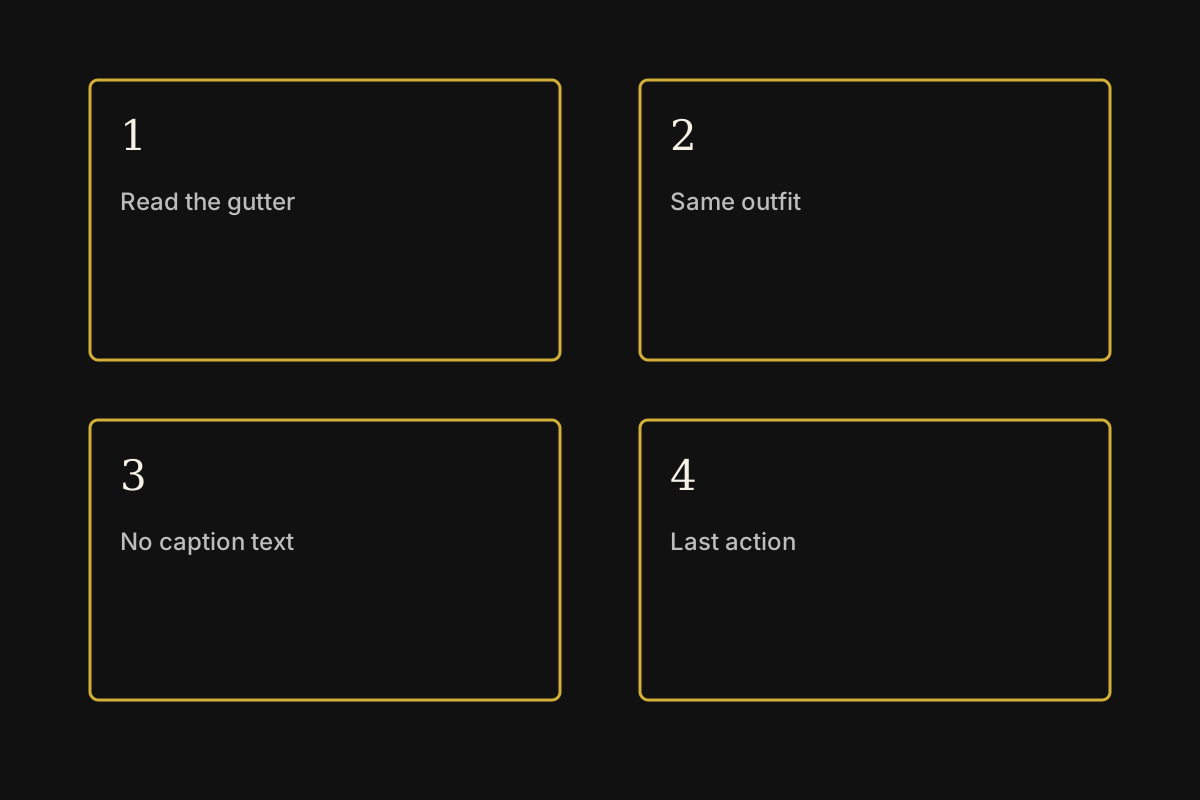
Panel-order diagram for an AI comic generator page, not a generated comic
Panel-order diagram, not a result
Session history
Images generated in this session will appear here.

Continue after the comic page

Images on these cards come from adjacent tools. They are not results from the AI comic generator.

Quick answer

AI comic generator for one finished comic page

An AI comic generator turns a written scene into one comic page image.

Use it for a short strip, a manga-style page, or a storyboard still. It is not a multi-page book editor.

Default Grok Imagine returns up to 6 images at Standard quality and up to 4 at High quality. A reference photo limits that run to 1 image.

Speech balloons, small lettering, and the same face on a later page are not reliable. Plan to redraw text and check the character yourself.

Last updated October 10, 2026

Output
One comic page image, not a book file
Suggested frame
3:4 or 2:3 for a page, 16:9 for a strip
Default count
Up to 6 images at Standard, or 4 at High
Reference photo
Up to 5 photos. A reference limits that run to 1 image.
Not included
Editable balloons, print lettering, or a locked character bible
Credits
Grok Imagine Standard costs 20 credits per run. High costs 25 credits per run. Another model can show a different cost before you generate. New accounts start with 30 credits, and a download may require a credit pack or plan.

Examples

What this AI comic generator returns

These recipes describe a page the AI comic generator can attempt. They are writing examples, not saved outputs.

Panel-order diagram for an AI comic generator page, not a generated comic

Panel order

The diagram shows where to look first on an AI comic generator page: panel count, gutters, and repeated costume details.

It is a reading guide, not a comic result. If the panels skip a beat or the outfit changes, generate the page again.

No saved result is shown here. Default Grok Imagine can return up to 6 images, and a reference photo limits that run to 1 image.

Four-panel rainy shop

Prompt

One comic page, four panels, ink line and flat color. A courier steps into a rainy shop, shakes off a coat, and finds a sealed letter on the counter. Clear gutters, no logos, no tiny caption text.

Check

Count the panels and see whether the coat and bag stay the same.

Quiet two-shot dialogue

Prompt

One comic page, two large panels. Two friends sit across a small table at dusk. Leave empty balloon shapes, but do not write words inside them. Consistent faces, no logos.

Check

Confirm the balloon areas are blank and the faces still match.

Manga stairwell chase

Prompt

Vertical comic page, black-and-white manga ink, three panels down a stairwell. The same runner looks back once. Screentone shading, no readable sound-effect lettering.

Check

Look for one runner, three panels, and no stray English words.

Character from a photo

Prompt

Use the reference photo only for the character’s face and hair. Place that person in a four-panel comic page at a bus stop. Keep the outfit simple, no logos, no caption text.

Check

Compare the hair and face with the photo. Expect one image, not a set.

Capabilities

Four controls for one comic page

The AI comic generator has four controls. Each one changes the page image. None of them letters a book or locks a cast.

One page from a scene

The AI comic generator builds a single page from the scene, panel count, and drawing style you name. Ask for gutters and a clear reading order.

Start when you have the beat but not a drawing. A page image you can accept, redraw, or generate again.

A photo can guide one character

Add a reference photo when the character should resemble someone specific. Grok Imagine then returns 1 image, and the original photo stays unchanged.

Keep a face or costume closer to a reference you already have. One related comic page, not a guaranteed likeness.

Starter prompts for page shapes

Starter prompts set a panel count and tell the AI comic generator to leave lettering out. Change only the place, the character, or the last action.

Skip a blank box when you know the beat but not the wording. A prompt aimed at one page rather than a whole issue.

Edit or animate after the page works

After the panels make sense, edit the still or animate one frame. The AI comic generator does not replace the image editor or Photo to Animation.

Spend the next credit on a page that already reads clearly. A handoff to a revised still or a short clip of one frame.

Workflow

How to generate one comic page

Follow four steps in the AI comic generator. The prompt, settings, and result stay in this browser until you clear them.

  1. 1

    Describe one scene and the panel count

    Name the place, the character, the action, and how many panels the AI comic generator should draw. Say not to write caption text.

  2. 2

    Set a page-shaped frame

    Switch the frame to 3:4 or 2:3 for a comic page, or 16:9 for a wide strip. The default square frame is easier to compare, but it crops a tall page.

  3. 3

    Generate, then read the gutters

    After the AI comic generator returns the images, check the panel order, the repeated outfit, and whether any letters appeared. The tool does not proofread text.

  4. 4

    Letter or animate only after the page is right

    Download a page only after the staging is usable. Add real lettering in an editor. Animate one accepted frame in Photo to Animation if you need motion.

Choice

Which comic job to run

Match the job to the input before you spend credits. Only the one-page row is the main job of this AI comic generator.

JobStarting inputUse it whenGo elsewhere when
One comic pageA scene, a panel count, and a drawing styleYou need one page image from the AI comic generator.You need an editable script, balloons, or a multi-page file.
Photo-guided characterOne face or costume photo plus a short sceneYou want that reference to influence a single page.The face must stay identical across a whole chapter.
Side-by-side layoutFinished images you already acceptDo not ask the AI comic generator to paste files into a grid.Use the image stitcher for a local layout of existing files.
Motion from one panelA page or panel you already acceptThe still itself is already good.Use Photo to Animation when the next job is a short clip.

Use cases

Three jobs for an AI comic generator

Each job starts with a scene and ends with a page you still have to review.

Pitch a short scene

User. A writer needs one page before commissioning pencils.

Input. The writer starts with a location, a character, and four beats.

Action. The writer asks the AI comic generator for one four-panel page and keeps the version whose staging is clear.

Result. The pitch gets a page image. Lettering and a character sheet stay separate.

Thumbnail a client story

User. A marketer needs a comic-style still for a storyboard review.

Input. The marketer starts with a product moment and a simple cast of one or two people.

Action. The marketer generates a page, rejects any version with stray logos, and edits the kept still.

Result. The review gets one readable page, not a finished campaign comic.

Try a style on your own character

User. An artist wants to see an existing character in ink or flat color.

Input. The artist uploads a character photo they have rights to use.

Action. The artist asks the AI comic generator for one page and compares the face with the source photo.

Result. The artist gets a style test. A later page still needs its own check.

Limits

What this AI comic generator will not do

Read these limits before you spend credits or send the page to a letterer.

No book file

The AI comic generator returns images of a page. It does not export a CBZ, PDF comic, or layered panel file.

Lettering is unreliable

A prompt can ask for empty balloons. The model may still invent words, misspell them, or put text outside the panel. Replace lettering yourself.

Characters can drift

A reference photo helps one run. It does not lock a face, age, or costume across later pages. Check every new page.

Panel counts can slip

Asking for four panels does not guarantee four panels. If the gutter count is wrong, generate again with a simpler layout.

Reference photos and prompt length have caps

Grok Imagine accepts up to 5 reference photos and a prompt of up to 5000 characters. A reference photo limits that run to 1 image. Changing the model can change both caps.

Credits are shown before the run

Grok Imagine Standard costs 20 credits per run. High costs 25 credits per run. Another model can show a different cost before you generate. New accounts start with 30 credits, and a download may require a credit pack or plan.

FAQ

Questions before a comic page

Straight answers about what the AI comic generator returns and what it refuses.

What is an AI comic generator?

An AI comic generator makes one comic page image from a scene prompt or a guiding photo. Default Grok Imagine can return up to 6 images at Standard quality and up to 4 at High quality. A reference photo limits that run to 1 image. It is a page tool, not a comic-book editor.

Will the speech balloons be readable?

Do not count on it. The AI comic generator is stronger when you ask for empty balloon shapes and add the words later. Generated letters can be wrong or illegible.

Can it keep the same character on the next page?

Only as a new attempt. Upload the reference again and describe the same outfit. The AI comic generator does not store a character bible, and the face can still change.

Can I start from a photo?

Yes, when the selected model accepts a reference image. Grok Imagine accepts up to 5 photos and then returns 1 image. Use a photo you can publish. The original file stays as it was.

Is this the same as Photo to Animation?

No. The AI comic generator makes a still page. Photo to Animation turns one still into a short clip. Use the stitcher only when you already have images to place in a grid.

Next step

Generate one comic page

Open the AI comic generator, describe one scene, and check the panels before you letter or animate anything.

Generate a page