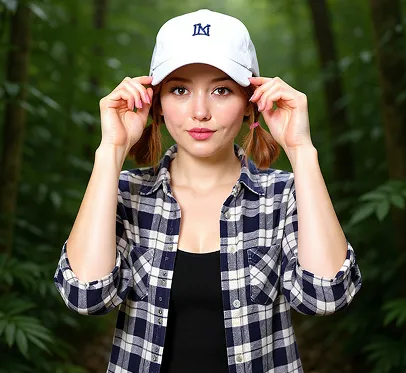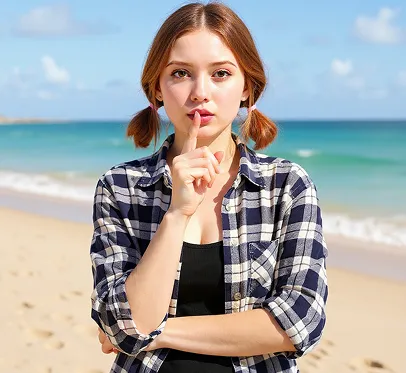
Grok AI Image Editor

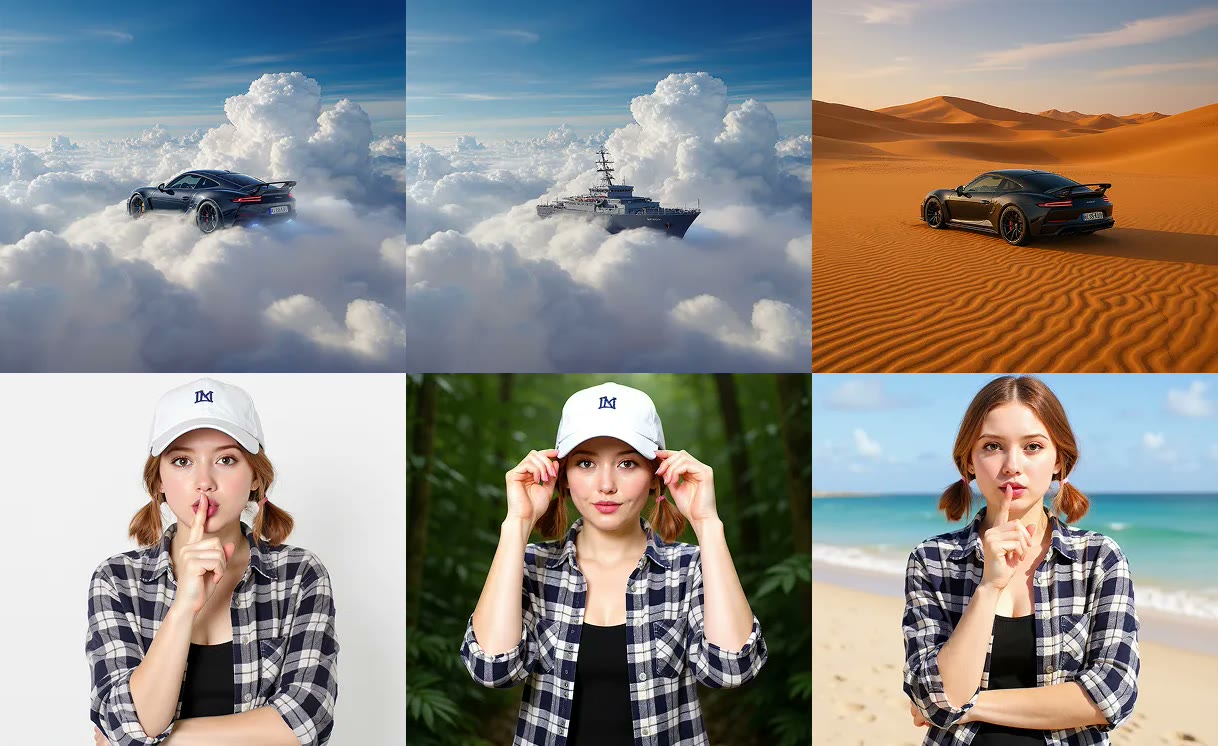
Six Grok edits showing object, style, and background changes
Grok image editing demo
Session history
Images generated in this session will appear here.

Quick answer

What is a Grok AI Image Editor?

This Grok image editor is a free Grok AI image editor online for creators who want prompt-based image edits instead of complex manual tools. The Grok image editor supports up to 5 JPG, PNG, or WebP reference images under 10MB, flexible style directions, private uploads, and output without watermark. "No restrictions" means fewer creative workflow restrictions, not unlimited unsafe use. Safety rules, copyright rules, and legal limits still apply.

Tool details

Primary workflow
Grok image editor no restrictions
Tool type
Grok AI image editor for image-to-image edits
Best input
JPG, PNG, or WebP reference images under 10MB
Last updated
July 1, 2026

Editing examples

Image editing examples to try

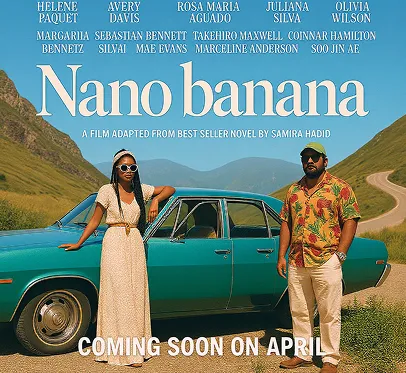
Use these Grok image editor examples when you want to brighten a photo, replace a background, remove an object, enhance a draft, or turn a reference image into a cleaner campaign visual.

Basic image editing

Use the Grok image editor with a reference image, then change objects, remove unwanted elements, transfer styles, or reshape the surrounding scene without rebuilding the image by hand.
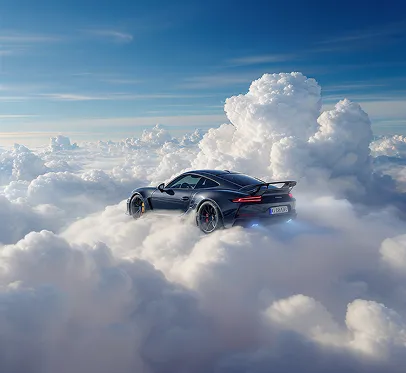
Original car image before AI image editing
Original image

A source image used as the visual reference for prompt-based editing.
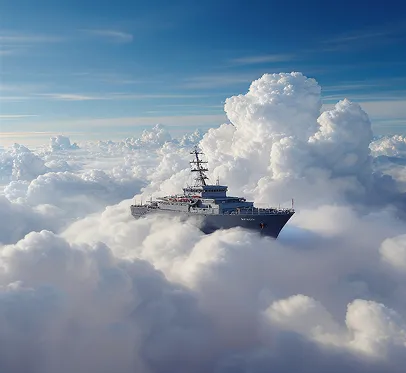
Car image after AI object change and object remover editing
Object change/remover

The edit changes the main object while keeping the scene readable.
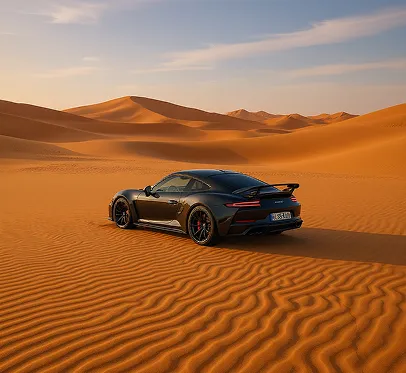
Car image after AI style transfer editing
Style transfer

The edit applies a new visual style and stronger scene mood.
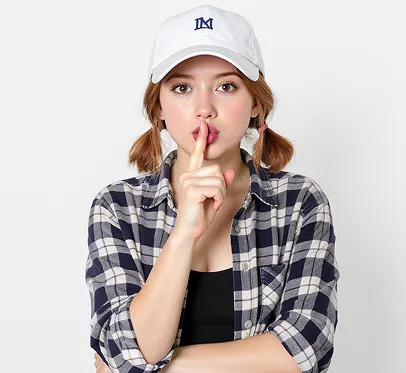
Advanced editing features

Use the Grok AI image editor to remove or replace backgrounds, retouch objects, and turn a simple portrait into a cleaner creative direction.

Original portrait image before AI background editing
Original image

A portrait reference image ready for background and object edits.

Portrait after AI background change editing
Background change

The edit changes the background while preserving the main person.

Portrait after AI object remover editing
Object remover

The edit removes selected details for a cleaner result.

AI-powered enhancements

Use the Grok image editor no restrictions workflow for image text editing, upscale/enhance output, object selection, and cleaner composition.

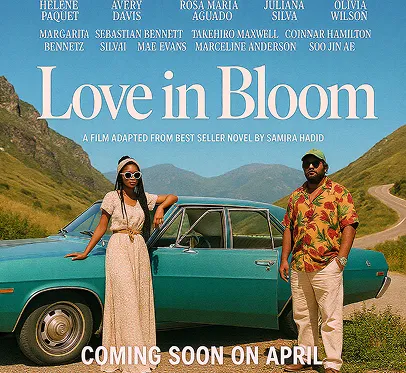
Original poster image before AI enhancement
Original image

A poster-style draft used as the input for enhancement and text edits.

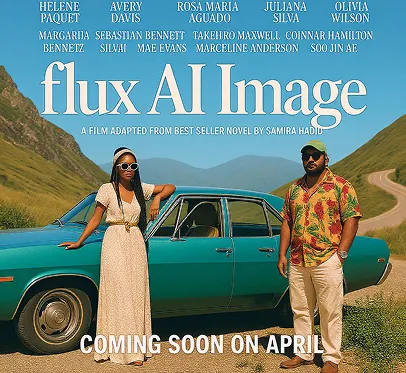
Poster after AI image text editing
Image text editing

The edit changes image text while keeping the poster composition.

Poster after AI upscale and enhance editing
Upscale/enhance

The edit improves detail and finish for a more polished campaign draft.

Why this tool

Why use a Grok image editor no restrictions workflow?

A practical Grok image editor no restrictions workflow should let you start from an existing image, keep control of your prompt, and test different visual styles without the editor rewriting your prompt unnecessarily.

Fewer creative workflow restrictions

A Grok image editor no restrictions workflow supports online edits with no watermark, no unnecessary prompt rewriting, flexible styles, and private uploads. This gives creators more control while keeping safety and legal limits in place.

Built for image-to-image edits

This Grok AI image editor is strongest when you already have a reference image for product visuals, thumbnails, portraits, concept art, ads, and social posts. Use it when a text-only generator is not enough.

Function introduction

Core features for the Grok AI image editor online

The Grok AI image editor keeps reference upload, prompt control, style direction, model settings, and clean output in one workspace so creators can move from idea to result quickly.

Reference Image Editing

Upload an image and guide the edit with a prompt. This Grok image editor uses the Grok image to image online workflow for background changes, visual restyling, product mockups, character variations, or concept exploration.

No Unnecessary Prompt Rewriting

Keep more control over your intent. The Grok AI image editor helps your prompt work better without turning your idea into something you did not ask for, which is useful when you need a direct free Grok edit image workflow.

Flexible Style Control

Try cinematic, anime, editorial, product, social, realistic, fantasy, or clean commercial styles from the same Grok AI image editor online instead of being locked into a narrow template.

Private Uploads and No Watermark

Use your own reference images in the free Grok AI image editor and generate cleaner outputs that are easier to preview, share, crop, or continue editing. Private uploads should not become public gallery assets by default.

How it works

How to use the free Grok edit image workflow

The best Grok image editor results come from a clear source image and a prompt that separates what should stay from what should change.

  1. 1

    Upload a reference image or start from a prompt

    Start the Grok image editor by adding a JPG, PNG, or WebP reference image for image-to-image editing, or start from a text prompt when you only need a new visual direction.

  2. 2

    Describe the edit clearly

    Write what should stay, what should change, and what style you want. Strong prompts mention the subject, background, lighting, composition, and output use case.

  3. 3

    Choose model, aspect ratio, resolution, and quality

    Select the available model settings that match your goal. Square, portrait, landscape, and vertical formats help prepare the result for different publishing channels.

  4. 4

    Generate and download

    Generate the edited image, review the Grok AI image editor result, download the clean output, or refine the prompt for another version in the same workspace.

Prompt examples

Prompt examples for Grok image-to-image edits

Use these Grok image editor prompt ideas when you want to change a background, restyle a portrait, or turn a rough concept into a cleaner visual.

Use caseInput imageEdit promptExpected result
Grok image editor product background editA product photo with a clear main object and a simple original background.Keep the product shape and label, replace the background with a glossy black studio surface, add soft rim lighting, and make it a clean square ad image.A cleaner product image for ad previews, ecommerce tests, or landing page creative.
Grok AI image editor social thumbnail restyleA portrait, sketch, or rough creator image that needs a stronger visual identity.Keep the person recognizable, add a cinematic neon background, improve contrast, and frame the image as a vertical social thumbnail.A more polished social post or thumbnail direction with flexible style control.
Grok image editor concept art variationA rough concept image, mood board frame, character pose, or scene sketch.Preserve the character silhouette, make the style more editorial and dramatic, add warm backlight, and simplify the background.A fast visual variation for review before committing to a final design direction.

Use cases

Where free Grok edit image workflows fit best

Use the Grok image editor when you already have a visual starting point and want fast, prompt-based creative variations before final production.

Product Visuals for Ecommerce and Ads

Use the Grok image editor to upload a product photo, change the background, adjust lighting, and create a cleaner ad-ready image. This is the strongest use case for users searching for free Grok edit image workflows.

Social Content and Thumbnails

A Grok AI image editor helps creators turn a portrait, sketch, or rough idea into a polished post image, creator thumbnail, or campaign visual. Flexible styles help match the output to TikTok, Reels, Shorts, X, or feed posts.

Concept Exploration Before Final Design

Use the Grok image editor no restrictions workflow to test several visual directions before committing to a final shoot, campaign style, character design, or product scene. A Grok image to image online workflow makes early creative review faster.

Value

Why choose this Grok AI image editor online?

NeedHow it helps
Edit without manual layersUse the Grok image editor to describe the change you want instead of masking, layering, and retouching every detail by hand.
Keep prompt controlA Grok image editor no restrictions workflow means no unnecessary prompt rewriting and more control over style, wording, and direction.
Use private referencesUpload your own image as the visual starting point without treating the upload as public gallery content by default.
Create cleaner draftsNo watermark output from the Grok AI image editor makes images easier to preview, share, crop, download, or continue editing.

Limits

Best inputs and realistic limits

LimitWhat it meansRecommended action
Rights-cleared source imagesUse images you own, licensed assets, or files you have permission to edit before creating public or commercial outputs.Confirm usage rights before uploading brand assets, client files, or private portraits.
Prompt-based edits, not manual layersThe Grok image editor is best for background changes, style changes, product mockups, thumbnails, and concept exploration.Use a traditional layer editor when you need pixel-level manual retouching.
Object preservation can varyExact faces, logos, small text, and fine details can shift depending on model behavior, source quality, and prompt clarity.State what must stay unchanged, then review the generated image before publishing.
Safety and legal limits still applyUnsafe, illegal, copyrighted, non-consensual, deceptive, or privacy-invasive use is not supported.Keep edits lawful, consensual, and rights-cleared even when creative restrictions are fewer.
Credits may be requiredFree access to the Grok AI image editor can depend on login status, available credits, selected model, output quality, and resolution.Sign in before generation and check credit prompts before using higher-resolution outputs.

Related tools

Choose the next Grok image or video tool

Move between the core Grok Imagine workflows without hunting through articles or menus.

FAQ

Grok image editor no restrictions FAQ

Common questions about privacy, credits, safe use, and what no restrictions means in real editing work.

Is this Grok image editor no restrictions?

It means fewer creative workflow restrictions: no watermark, no unnecessary prompt rewriting, flexible styles, and private uploads. Safety rules, copyright rules, and legal limits still apply.

Can I use Grok image to image online?

Yes. Upload a reference image in the Grok image editor, describe the edit you want, and generate a new AI-edited image from that input. This works well for background changes, restyling, product images, thumbnails, and concept drafts.

Is this free Grok edit image tool really free?

You can start for free when your account has free credits. If you are not logged in, the editor asks you to sign in before generation. If your credits run out or a higher-resolution model requires credits, the editor should show an upgrade or payment prompt before generation.

Is this an official xAI Grok image editor?

This is an independent online Grok-style AI image editing workflow for creators. It is not affiliated with xAI, Grok, X, or the official xAI team unless a partnership is clearly stated.

What can I do with a Grok AI image editor?

A Grok AI image editor can help you replace backgrounds, restyle portraits, improve product visuals, create thumbnails, and explore concept art from a reference image. This Grok image editor works best when you describe what should stay, what should change, and what output style you want.

Are private uploads public?

Private uploads should be used only for your editing session and should not become public gallery assets by default. Always avoid uploading private portraits, copyrighted files, or brand assets unless you have permission to edit them.

Related articles

Articles & Updates About Grok Imagine

Compare limits, model quality, and workflow options before choosing the next Grok image or video step.

Ready to edit your image?

Upload a private reference image and generate a clean Grok AI image editor result.