
Batch Face Swap: Swap a Whole Folder of Faces at Once
Batch face swap puts the face you choose on every photo in a set: drop in photos, a folder, or a zip, and the largest face in each photo is swapped and returned in one zip. Each photo is charged and refunded on its own.
- Free preview
- No sign-up to preview
- JPG, PNG, WebP
- Folder or zip upload
1. Photos
Up to 3 photos · JPG, PNG, WebP · 15 MB each
2. Source faces
Add photos and at least one source face.
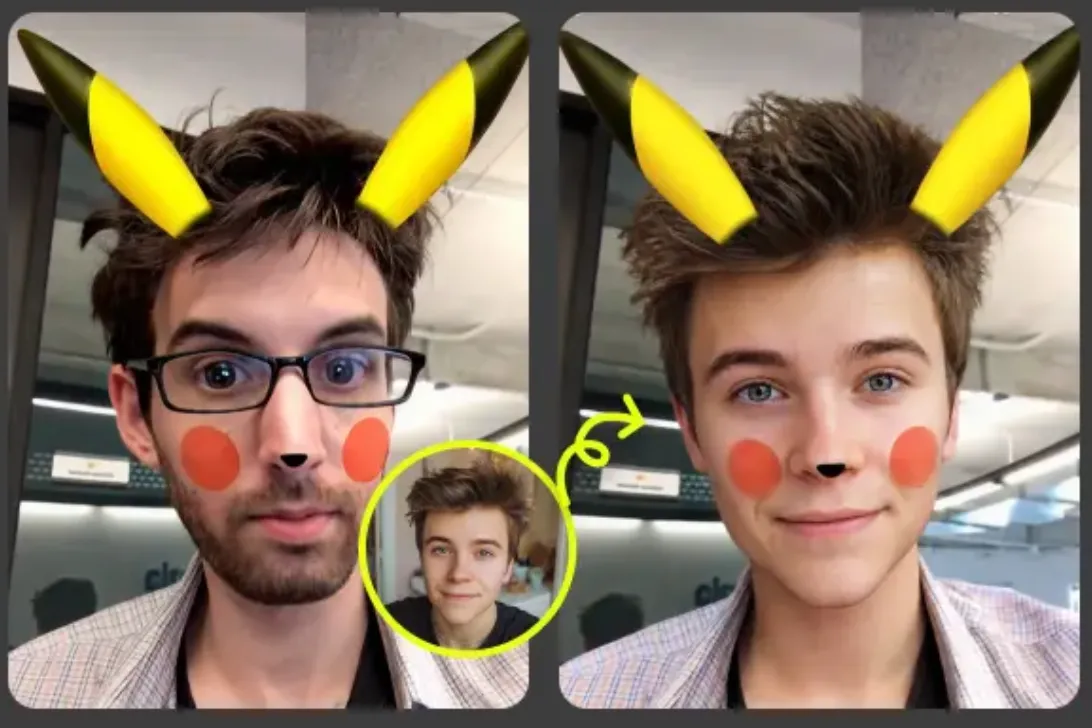

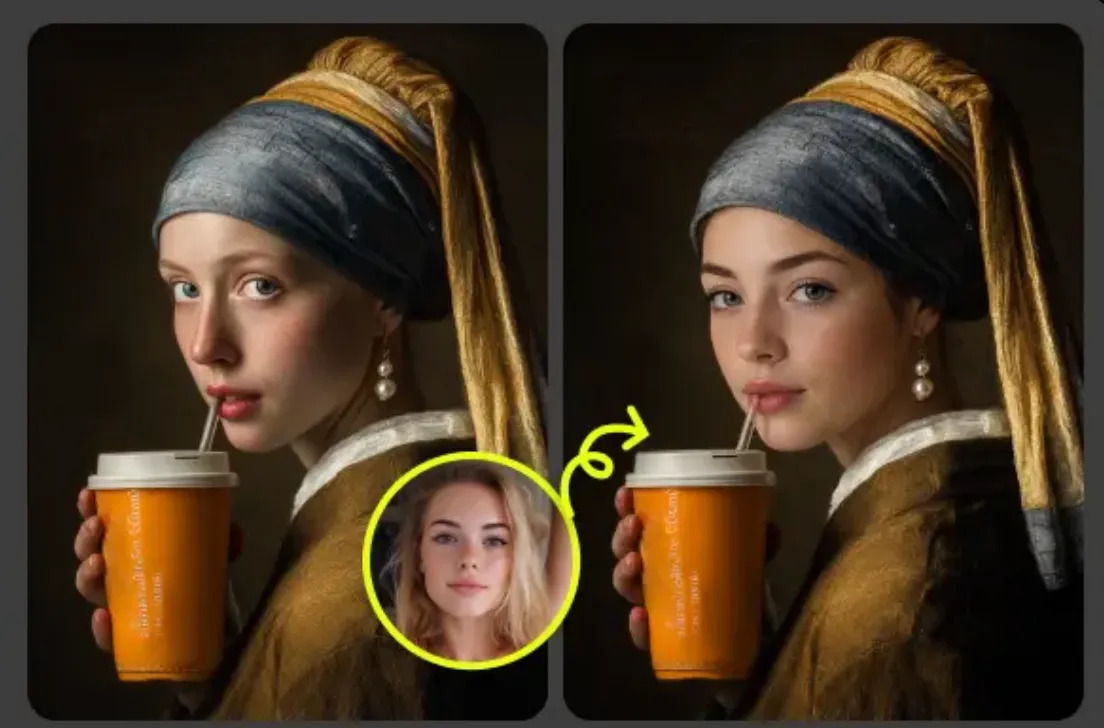
What batch face swap does
A batch face swap runs the same swap over a whole set of photos in one pass. You upload once, choose the face once, and download once, instead of repeating upload, wait, and save for every picture.
A typical case: a folder of 20 photos from a team offsite, where one colleague who agreed to it should appear in every shot as the event mascot. Drop the folder in, add their face as source A, and the whole set is processed while you wait.
Each photo gets one new face: the largest one in the frame. When several people in the same group photo need different faces, use multiple face swap instead.
How to batch swap faces in 3 steps
- Step 1
Upload the batch
Pick up to 20 photos, a folder, or a zip. Faces are found in your browser; photos with no face are marked and skipped.
- Step 2
Choose the source face
One face for the whole batch is the default. Add more source faces and switch any photo to a different letter.
- Step 3
Run and download the zip
Photos run 3 at a time with progress on each. Download every result in one zip when the batch is done.
Batch vs one by one: what actually gets faster
A batch does not make a single swap faster. Each photo takes about as long as it would on its own, at the same quality. What you save is the work around it.
Uploads
One drop for the whole set instead of one upload per photo, and the source face is added once, not every time.
Waiting
Photos are queued and run 3 at a time, so you are not watching one finish before starting the next. You can see which photos are done, running, or waiting.
File naming
Results keep the original file names with -face-swap added and arrive in one zip, so there is nothing to rename or sort afterwards.
Limits and credit cost
| Limit | Value | Notes |
|---|---|---|
| Photos per batch | Up to 20 photos | Pick photos, a whole folder, or one zip file. |
| Faces swapped per photo | The largest face | For several new faces in one group photo, use multiple face swap. |
| Source faces per batch | Up to 8 | The whole batch uses face A unless you change a photo. |
| Longest edge | 2048 px | Larger photos are scaled down before the swap. |
| File size per photo | Up to 15 MB | JPG, PNG, or WebP. Results download as JPG. |
| Zip upload | Up to 200 MB | Images inside folders in the zip are found too. |
| Credits per photo | 25 credits | A batch of 20 photos costs 500 credits. |
| Failed or skipped photos | No charge | A failed photo is refunded automatically; photos with no face are never sent. |
| Free preview without sign-up | 3 photos | Per 24 hours. Create an account for full batches. |
When batch is the wrong tool
A batch treats every photo the same way. Pick another tool when that is not what you need:
- Every photo needs its own retouching: run them one at a time in the image editor, where you can check each result.
- Several people in one photo need different faces: that is multiple face swap.
- The hair and hairline should change too: use head swap.
- The source is a video clip: use face swap video; this page only takes photos.
- The source is an animated GIF: use GIF face swap, which keeps the loop.
Photo face swap examples
Usage rules
- Only upload photos you took or have the rights to, and only add faces of people who said yes to this use.
- Celebrities, politicians, other public figures, minors, and sexual or degrading content are off limits.
- Do not pass off a swapped photo as a real record of an event.
Full rules are in the Terms of use. To report a swap that breaks them, email support@grokimagineapp.com.
Batch face swap FAQ
How many photos can I batch at once?
Up to 20 photos per batch, each up to 15 MB. Photos larger than 2048 px on the long edge are scaled down first. Without an account you can try it on 3 photos every 24 hours.
Can each photo use a different source face?
Yes. Add up to 8 source faces; they are labeled A, B, C and so on. Every photo starts on face A, and you can switch any single photo to another letter before you run the batch.
Can I batch-process videos too?
No. This page only processes photos. Videos are swapped one clip at a time on the face swap video page.
Do failed photos cost credits?
No. Every photo runs as its own job. Its credits are reserved when it starts and returned automatically if it fails, and the other photos in the batch carry on. Photos where no face is found are skipped before upload and never charged.
How do I download the results?
When the batch finishes, click Download all to get one zip file. Each result keeps the name of its original photo with -face-swap added, so the order of your folder survives. You can also save single results from the grid.
Can I use batch face swap results commercially?
Our terms let you use generated results for personal or commercial purposes, but you are responsible for the rights in every photo. For anything commercial, get written permission from each person whose face you add or replace.
Which face is swapped in each photo?
The largest face in each photo. If a photo has several people who all need a new face, swap that one on the multiple face swap page.
Related face swap tools
See also: GIF Face Swap, Multiple Face Swap, Head Swap, Face Swap Video and Animal Face Swap.
Last updated November 18, 2026