
GPT Image 2.5

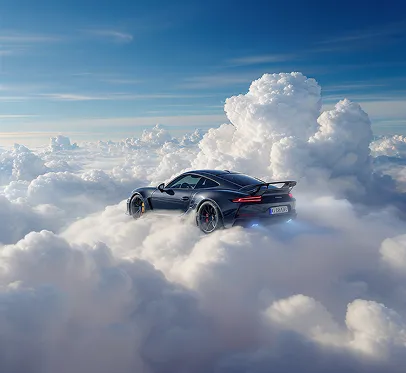
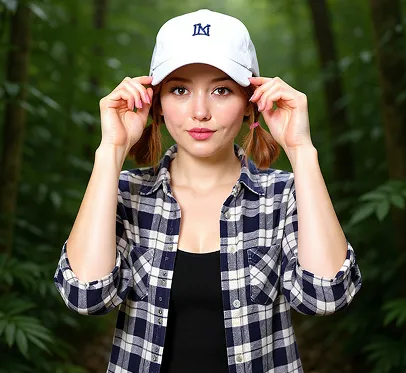
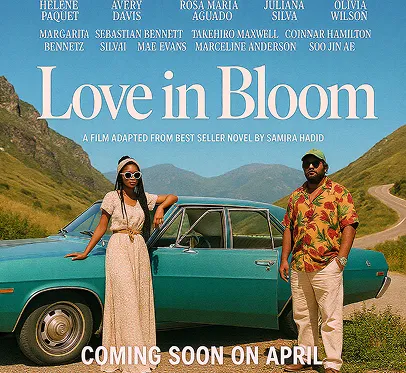
Sample still showing the GPT 2.5 generator workbench layout, not confirmed model output
Sample workbench layout
Session history
Images generated in this session will appear here.

Quick answer

GPT Image 2.5 Generator

A GPT Image 2.5 generator turns a written prompt into a still image using OpenAI GPT Image 2.5 API models. This independent online workbench is built for creators, marketers, and design teams that need 1K, 2K, or 4K output without opening ChatGPT. Choose Flare for faster everyday drafts or Sunburst for tighter detail, then generate, review, and download. ChatGPT Images 2.5 is the consumer name for the same model family; the workbench is not the ChatGPT app.

The example stills show GPT Image 2.5 generator layout only. They are not confirmed GPT Image 2.5 outputs.

Published September 10, 2026 · Last updated September 10, 2026

Try the generator

Tool details

Primary workflow
GPT Image 2.5 generator from a written prompt
Default model
GPT Image 2.5 Flare, with Sunburst available in the same picker
Output sizes
1K, 2K, or 4K at 25, 40, or 65 site credits
Last updated
September 10, 2026

Examples

GPT Image 2.5 generator examples

Each card pairs a visible prompt with the intended crop and a sample still. The images show workbench layout only; they are not claimed as live GPT Image 2.5 outputs.

Sample product still used to show GPT Image 2.5 generator layout, not a confirmed GPT Image 2.5 output

Product still from a written brief

Prompt
A matte black wireless speaker on a stone table, warm rim light, clean commercial photography, square product ad.
Setting
Flare, 1:1, 2K

This sample shows how a GPT Image 2.5 generator brief should name the subject, surface, lighting, and crop. It is a workbench layout example, not a confirmed GPT Image 2.5 output.

Sample creator thumbnail used to explain GPT Image 2.5 generator framing

High-contrast creator thumbnail

Prompt
A cinematic creator thumbnail about AI image generation, bold center subject, dramatic neon studio lighting, high contrast, vertical crop.
Setting
Flare, 9:16, 1K

Use a GPT Image 2.5 generator thumbnail prompt to lock subject, contrast, and publishing crop before spending 2K or 4K credits. This image is a sample layout, not a confirmed model output.

Sample campaign poster used to illustrate a GPT Image 2.5 generator concept draft

Campaign poster concept

Prompt
A futuristic city garden at sunrise, soft mist, reflective glass towers, editorial poster, readable title space at the top.
Setting
Sunburst, 16:9, 2K

A GPT Image 2.5 generator poster brief should reserve title space and name mood, camera, and palette. Review any generated lettering before publishing. This still is a sample, not a confirmed GPT Image 2.5 result.

Core controls

What a GPT Image 2.5 generator can do

Keep the prompt, Flare or Sunburst, ratio, resolution, and preview in one GPT Image 2.5 generator workspace so you can check the setup before spending credits.

Turn a written prompt into a still

Start from an idea when you do not have a source file yet. The workbench keeps the prompt, model, ratio, and resolution next to the preview.

The GPT Image 2.5 generator accepts a text prompt up to 20,000 characters and returns a still you can review in the same session.

Input: a scene prompt with subject, lighting, crop, and use. Output: a 1K, 2K, or 4K image draft.

Choose Flare or Sunburst before you spend credits

Match speed or precision without leaving the page. Both tiers share the same credit table in this app.

Flare is the default GPT Image 2.5 generator model for everyday drafts. Switch to Sunburst when labels, product edges, or layout need a tighter pass.

Input: Flare or Sunburst plus ratio and resolution. Output: one still at the selected size.

Control crop and resolution up to 4K

Set 1:1, 16:9, 9:16, 21:9, and other supported ratios before generation so the draft matches ads, posts, or posters.

This GPT Image 2.5 generator supports 1K, 2K, and 4K. Auto ratio is limited to 1K. Square 1:1 does not offer 4K.

Input: ratio and 1K, 2K, or 4K. Output: a still for 25, 40, or 65 site credits.

Review and download in the same session

Inspect the still before you spend more credits or leave the workbench.

After a GPT Image 2.5 generator run, preview the draft in the same workspace and download it when the composition looks right.

Input: a completed still. Output: a downloadable draft you can later edit, upscale, or animate.

How to

How to generate an image from a prompt

Write one scene, choose the model and format, then review the still like a creative draft instead of a finished ad.

  1. 1

    Write one clear scene

    Name the subject, setting, lighting, camera, crop, and any readable text. A GPT Image 2.5 generator prompt works better when it describes one scene instead of a list of unrelated ideas.

  2. 2

    Choose Flare or Sunburst and the output size

    Keep Flare for a fast first look. Switch to Sunburst when you need tighter product or layout detail. Pick a ratio that matches the destination, then choose 1K for tests or 2K/4K for review stills.

  3. 3

    Generate and inspect the draft

    Check subject identity, lighting, crop, and any lettering. If Auto ratio is selected, stay on 1K. If you need 4K, avoid 1:1 and choose a supported wide or tall ratio.

  4. 4

    Download or continue the workflow

    Save the still, send it to the editor for a local change, upscale it, or animate it. Sign-in is required before generation uses credits.

Settings

Flare vs Sunburst before you spend credits

Use this table to pick a GPT Image 2.5 generator model, ratio, and resolution that match the job.

SettingAvailable optionsBest for
ModelGPT Image 2.5 Flare or GPT Image 2.5 SunburstFlare for everyday GPT Image 2.5 generator drafts. Sunburst for labels, product edges, and tighter composition.
PromptText prompt, up to 20,000 charactersOne scene with subject, lighting, crop, and any words that must appear in the still.
Aspect ratioAuto, 1:1, 3:2, 2:3, 4:3, 3:4, 16:9, 9:16, 21:9Square ads, vertical social crops, wide posters, and cinematic stills. Auto is 1K only.
Resolution and credits1K / 25 credits, 2K / 40 credits, 4K / 65 creditsCheap prompt tests at 1K, sharper campaign review at 2K, and large stills at 4K when the ratio allows it.

Use cases

Typical jobs for text-to-image drafts

Use this workflow when the idea starts as words and you need a still before editing, upscaling, or animation.

Marketers testing product stills

Starting input
A product name, surface, lighting, and the crop needed for a landing page or paid social ad.
Tool action
Run a GPT Image 2.5 generator draft on Flare at 1K, then raise resolution after the composition is right.
Expected result
A reviewable product still you can edit, upscale, or drop into a campaign mock.

Creators drafting thumbnails with readable type

Starting input
A subject, high-contrast lighting, vertical crop, and the exact words that should appear on the thumbnail.
Tool action
Use Sunburst when lettering matters, keep the prompt to one title line, and inspect the generated words before publishing.
Expected result
A thumbnail-direction still for Shorts, Reels, TikTok, or X. Human-check any text.

Design teams exploring campaign posters

Starting input
Mood, palette, camera, and empty space for a later title treatment.
Tool action
Generate a 16:9 or 21:9 concept, then continue in the editor if objects or background need a local change.
Expected result
A poster-style concept board that can move into editing or image-to-video.

Limits

Limits and review checks

Know the credit cost, ratio rules, and independence disclaimer before you treat a draft as production art.

This is not ChatGPT

The GPT Image 2.5 generator is an independent workbench that calls GPT Image 2.5 API models. It is not the ChatGPT app, not ChatGPT Images 2.5, and not affiliated with OpenAI.

Canvas markup tools are not in this workbench

The GPT Image 2.5 generator does not expose ChatGPT canvas markup, on-image comments, or official templates. Give those instructions in the prompt, or edit a generated still in the GPT Image 2.5 editor.

Credits and sign-in

Guests can draft a prompt. Generation spends site credits after sign-in. 1K, 2K, and 4K cost 25, 40, and 65 credits. The GPT Image 2.5 generator does not offer an unlimited no-credit mode.

Ratio and 4K constraints

Auto aspect ratio is limited to 1K. Square 1:1 does not support 4K. Review faces, hands, tiny type, logos, and likenesses before ads or client delivery.

FAQ

GPT Image 2.5 generator FAQ

Direct answers about Flare, Sunburst, credits, 4K, and how this independent tool differs from ChatGPT.

What is a GPT Image 2.5 generator?

A GPT Image 2.5 generator turns a written prompt into a still image with GPT Image 2.5 Flare or Sunburst. It is an independent online workbench, not the ChatGPT Images 2.5 consumer app.

Is this GPT Image 2.5 generator free?

You can open the workbench and write a prompt without paying. Generating an image requires an account and site credits. 1K, 2K, and 4K currently cost 25, 40, and 65 credits.

What is the difference between Flare and Sunburst?

Flare is the faster everyday GPT Image 2.5 generator tier. Sunburst is the precision tier for tighter detail. GPT Image 2.5 Flare and Sunburst use the same credit table on Grok Imagine; the difference is speed versus precision, not price.

Can I generate 4K images?

A GPT Image 2.5 generator can create a 4K image when the selected ratio supports 4K. Auto ratio stays on 1K, and 1:1 does not offer 4K. Use 2K or 4K after the 1K composition looks right.

Is this the same as ChatGPT Images 2.5?

ChatGPT Images 2.5 is OpenAI’s consumer name. This GPT Image 2.5 generator uses the API model family through an independent site. It does not copy ChatGPT’s chat UI, Sketch tools, or official templates.

Next steps

After you generate a still

Send a finished still to the GPT Image 2.5 editor, upscale it, or check credit pricing before a larger batch.

Ready to generate

Start a GPT Image 2.5 generator draft

Write one scene, choose Flare or Sunburst, then review the still before you edit, upscale, or publish.