
Reference to Video
Reference to video demo
Recent Generations Latest six

No generations yet

Add a prompt plus an image or video

Continue a nearby video job

Quick answer

MiniMax H3 Reference to Video

MiniMax H3 reference to video turns identity stills, motion clips, and optional voice files into one 4–15 second Hailuo 03 clip. Hailuo 03 is the public name for MiniMax H3. Upload JPEG, PNG, or WebP images, MP4 or MOV videos, and MP3 or WAV audio, then describe how those files should work together.

This MiniMax H3 reference to video workbench is independent of xAI. It is not Grok Imagine Video and it is not xAI’s image-only reference-to-video product. You need at least one image or video. Audio cannot run alone. A 4-second 768P clip with no extra images and no billed source video starts at 130 site credits.

Published September 10, 2026 · Last updated September 10, 2026

Open the workbench
Model
MiniMax H3, also called Hailuo 03
Inputs
Up to 9 images, 3 videos, and 3 audio files
Output
4–15 seconds at 768P or 2K
Minimum cost
130 site credits at 4s 768P

Examples

MiniMax H3 reference to video examples

Inspect a playable performance demo and a sample identity still before you spend credits. These assets show the job MiniMax H3 reference to video is built for. They are not a promise that your files will reproduce the same frames.

Performance-scene demo for identity and motion review

Keep the performer identity, match the camera path from the motion clip, and align lip movement to the vocal track.

Workbench demo · 768P or 2K · 4–15 seconds

This is the same playable demo used in the workbench. Use it to plan a MiniMax H3 reference to video prompt that names Image, Video, and Audio slots. It is not a guaranteed MiniMax H3 output from the files you upload.
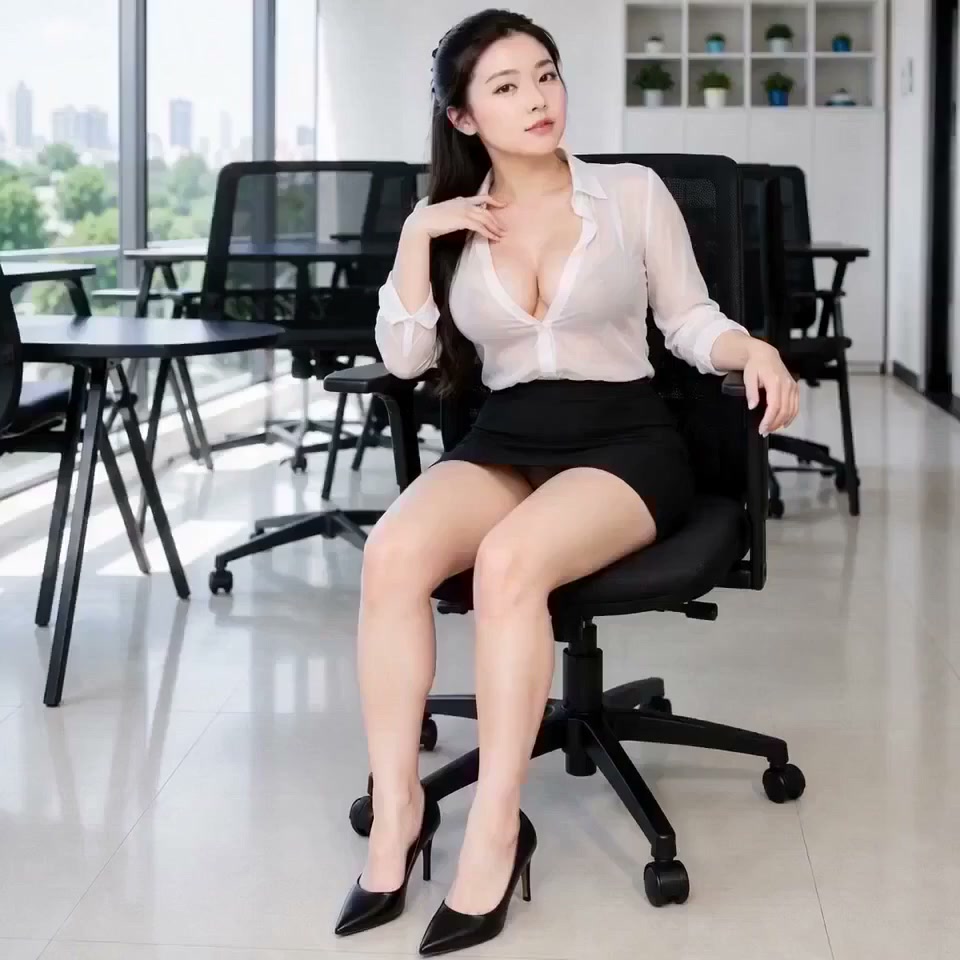
Yoga pose still used as a MiniMax H3 reference to video identity example

Sample identity still for a reference image slot

A clean identity photograph is a typical Image 1 input when you need the same person or product to stay readable.

Pair a still like this with a motion clip when you run MiniMax H3 reference to video. Name the slots in the prompt instead of restyling the subject in the same sentence.

What the tool does

Core capabilities of MiniMax H3 reference to video

Each control maps a file role onto the finished clip so MiniMax H3 reference to video can keep identity, camera path, and voice aligned.

Mix images, videos, and audio in one job

Add up to 9 JPEG, PNG, or WebP stills, 3 MP4 or MOV clips, and 3 MP3 or WAV tracks, with 12 files total. MiniMax H3 reference to video can lock a face from a still, borrow camera movement from a clip, and follow a vocal take when the prompt names those slots.

Name each file role in the prompt

The 7,000-character prompt is the assignment list, not a second story. In MiniMax H3 reference to video, write which image holds identity, which video supplies camera or gesture, and which audio carries voice.

Draft at 768P, then review at 2K

Use 768P to draft a MiniMax H3 reference to video shot, then switch to 2K when faces, logos, or product edges need a larger frame. Adaptive plus 21:9, 16:9, 4:3, 1:1, 3:4, and 9:16 cover social and cinematic delivery. The credit estimate updates before you generate.

Keep the result in History and continue

Completed clips save to History with the prompt and resolution. From there you can edit one visual change, extend an approved ending, or enlarge the frame. The workbench also keeps a local draft so login and checkout do not wipe uploads.

How to use it

How to generate a clip from images, video, and audio

Follow this order so MiniMax H3 reference to video receives a prompt that names files instead of a generic scene rewrite.

  1. 1

    Write the assignment prompt

    Describe what should stay from each file. Name Image, Video, and Audio slots in the same sentence that sets action, instead of rewriting the scene from scratch.

  2. 2

    Add identity, motion, and optional voice

    Upload at least one image or video. Stills must stay under 30MB, videos under 50MB and 2–15 seconds, and audio under 15MB with the same duration window. Audio cannot be the only input.

  3. 3

    Set duration, aspect, and resolution

    Choose 4–15 seconds, an aspect including Adaptive, and 768P or 2K. Read the credit estimate, including extra images after the fifth still and billed source-video duration.

  4. 4

    Generate and review the full clip

    Queue MiniMax H3 reference to video, then play the complete result. Check identity, camera path, lip sync, and any on-screen text before you download.

  5. 5

    Save, download, or send it onward

    Keep the MiniMax H3 reference to video clip in History, download the MP4, or continue in the editor, extender, or upscaler if the motion already passes review.

Settings

Duration, aspect ratio, and 768P vs 2K

The estimate updates before you generate MiniMax H3 reference to video, including extra images after the fifth still and billed source-video duration.

Duration, aspect ratio, resolution, and credit choices
SettingOptionsBest for
Duration4–15 secondsKeep short social cuts near 4–8 seconds. Use longer clips only when the motion or vocal take needs the extra time.
Aspect ratioAdaptive, 21:9, 16:9, 4:3, 1:1, 3:4, 9:16Choose Adaptive when the references already agree. Pick 9:16 for stories and 16:9 for landscape delivery.
Resolution768P or 2KDraft MiniMax H3 reference to video at 768P, then use 2K when faces, packaging, or small type must stay sharp.
Credits130 minimum at 4s 768PA 6-second 768P clip is 190 credits. The same 4-second shot at 2K is 210. A 4-second source video billed with a 4-second output is 260 at 768P. A sixth image adds about 10 credits.

Typical jobs

When Hailuo 03 reference clips fit the job

These jobs need more than one still. MiniMax H3 reference to video is the right page when identity, motion, and voice have to travel together.

Keep a character while borrowing camera motion

A filmmaker starts with a costume still and a handheld camera clip. MiniMax H3 reference to video places the person from Image 1 into the move from Video 1. Expected output is a 6–10 second identity-stable shot, not a new random camera path.

Turn packshots into a short product move

A marketer uploads three product stills plus a dolly or turntable clip into MiniMax H3 reference to video. The prompt names which image is the hero pack and which video supplies the camera. Expected output is a 4–8 second 768P or 2K product beat.

Match a vocal take to a performer

A creator adds a portrait, a performance clip, and an MP3 or WAV vocal. MiniMax H3 reference to video keeps the face, copies the gesture, and follows Audio 1. Expected output is a lip-synced 8–15 second performance, not audio on an empty timeline.

Boundaries

Limits and quality checks

Stay inside these constraints before you queue MiniMax H3 reference to video. The workbench rejects oversize files and missing visual inputs before credits are spent.

File counts and sizes

MiniMax H3 reference to video stays at or below 9 images, 3 videos, 3 audio files, and 12 files in total. Images max out at 30MB, videos at 50MB, and audio at 15MB. JPEG, PNG, WebP, MP4, MOV, MP3, and WAV are the accepted types.

Duration windows

Each video or audio reference must last 2–15 seconds. The generated clip is also 4–15 seconds. Longer source media is rejected before credits are spent.

Audio cannot run alone

MiniMax H3 reference to video needs at least one image or video. A vocal file without a visual reference will not queue. Pair voice with a still or a performance clip.

Identity and motion can still drift

Conflicting outfits, mixed lighting, or a prompt that restyles the subject can pull the face or product off-model. Review the full clip, then edit or regenerate instead of assuming one pass is final.

Questions and answers

MiniMax H3 reference to video FAQ

Direct answers about Hailuo 03, file limits, credits, and why this workflow is not xAI’s grok reference to video product.

What is Hailuo 03 reference to video?

Hailuo 03 is the public name for MiniMax H3. MiniMax H3 reference to video generates a 4–15 second clip from images, videos, and optional audio. You assign each file a role in the prompt, then choose 768P or 2K before generating.

Is this the same as Grok Image to Video or grok reference to video?

No. Grok Image to Video animates a Grok start frame. xAI’s grok reference to video product uses a different image-only workflow. This page runs MiniMax H3 reference to video with up to 9 images, 3 videos, and 3 audio files. Grok Imagine is an independent site and is not affiliated with xAI.

How many files can I upload, and how long can they be?

You can add 9 images, 3 videos, and 3 audio files, with 12 files total. Video and audio references must last 2–15 seconds. The output clip is 4–15 seconds. Images stay under 30MB, videos under 50MB, and audio under 15MB.

How are 768P and 2K credits calculated?

MiniMax H3 reference to video starts at 130 site credits for a 4-second 768P job with no extra images and no billed source video. Six seconds at 768P is 190. Four seconds at 2K is 210. Source video duration is billed with the output duration, so a 4-second input plus a 4-second output is 260 at 768P. The first five images are included; each extra image adds about 10 credits.

Can I generate from audio only?

No. Audio is optional support for voice or mix. You still need at least one image or video before MiniMax H3 reference to video will run. Add a portrait or performance clip, then name Audio 1 in the prompt.

After generation

Continue the finished clip

After a MiniMax H3 reference to video clip lands in History, continue with a still edit, a credit check, or another saved result.

Ready to generate

Open the workbench

Add a prompt plus an image or video, choose 768P or 2K, and start MiniMax H3 reference to video from the controls above.

Start MiniMax H3 reference to video