
How to Make AI Videos for Free in 2026
A day-one sequence for free AI video: pick a daily, monthly, or one-time grant, spend the cheapest clip first, check in for more credits, and use a $4.98 Trial Pack only after the free grant is gone.
You can make an AI video today without a subscription. You cannot run a content calendar on "free" alone. The difference is sequence: pick a daily, monthly, or one-time grant, spend the cheapest clip first, and stop before retries eat the grant.
Wyzowl's 2026 survey (266 respondents, late 2025) found that 24% of marketers who skip video say it is too expensive, tied with "not needed." 67% of those non-users plan to start in 2026. This guide is the cheap start, not a claim that frontier video is free forever.
Official Grok Imagine image and video generation sits on SuperGrok, not the Free plan (xAI pricing). If that is the wall you hit, you want a free-start workspace or Flow's daily credits, not another retry on grok.com. Compare tools in free Grok Imagine alternatives and best free AI video generators before you burn a grant.
Key Takeaways
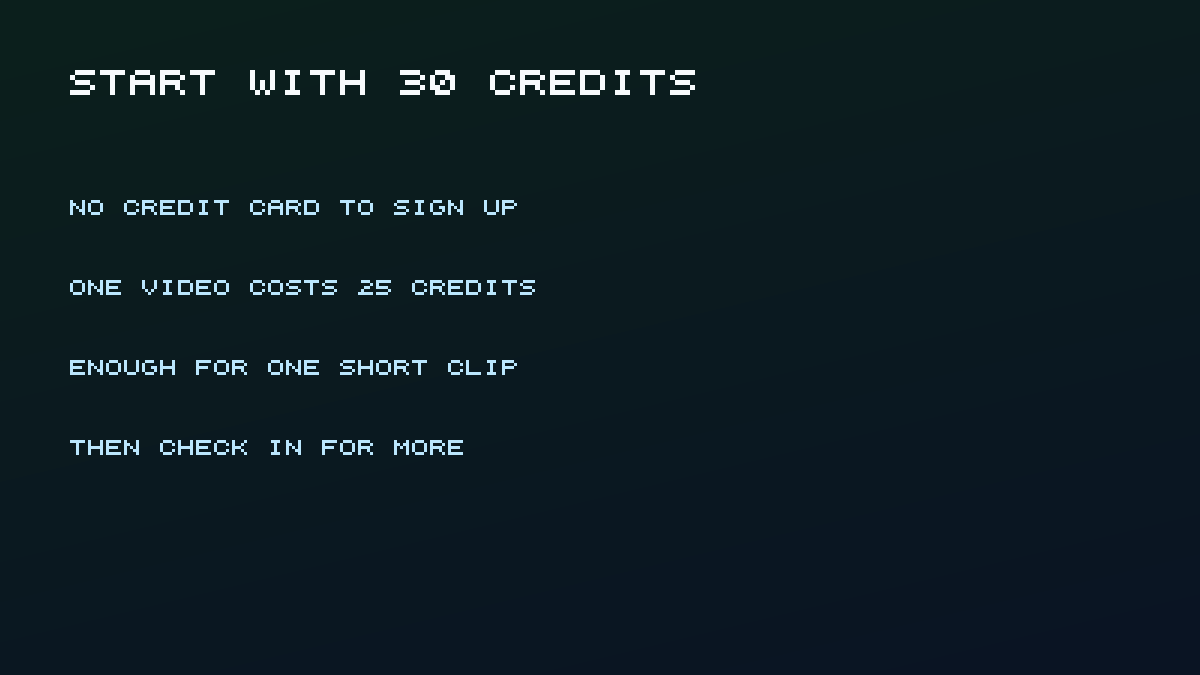
- Day one: sign up, spend the cheapest on-screen clip, download it, then stop. Welcome credits on this site are 30. The documented text-to-video trial on the Grok video generator is Seedance 1.5 Pro at 4 seconds and 480p for 30 credits, so the gift covers one run with nothing left over.
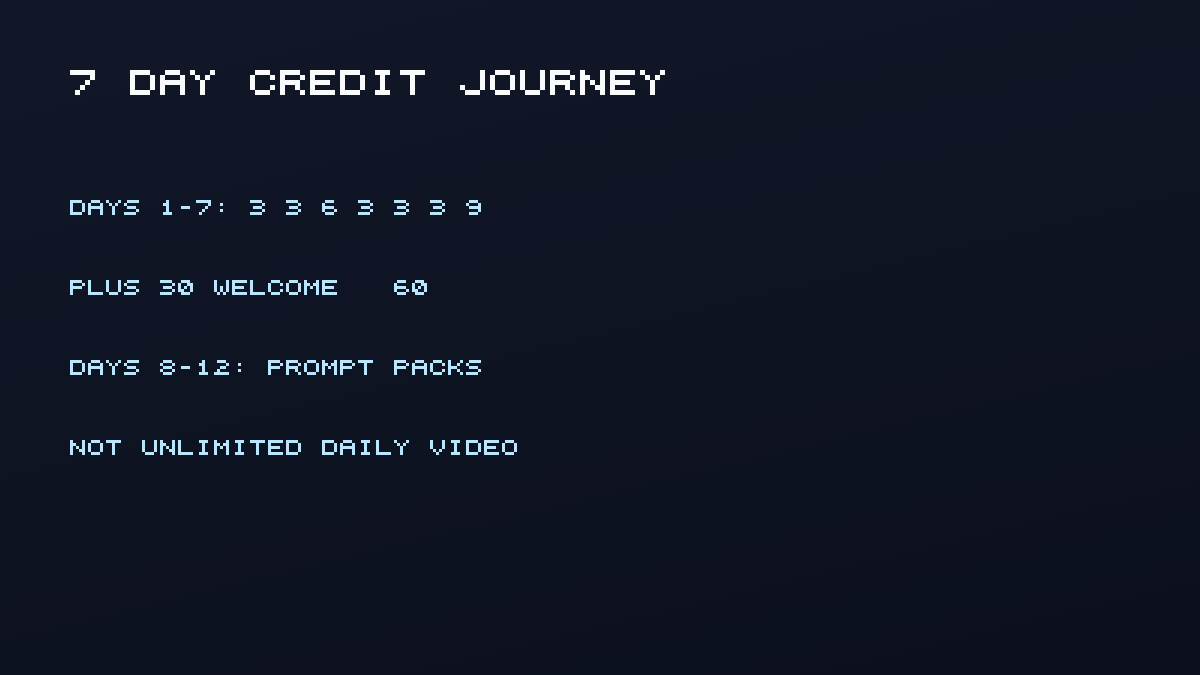
- Check-in days 1-7 grant 3, 3, 6, 3, 3, 3, and 9 more credits. Days 8-12 unlock prompt packs. Day 13 completes the journey with no extra credits.
- Match the tool to the job: Flow for a published daily Veo Lite quota, this workspace for a 30-credit first clip, Pika for monthly 480p, HeyGen only for personal avatar tests.
- Read commercial clauses before you post ads. HeyGen Free, Kling Basic, and Luma Free/Lite are not ad licenses.
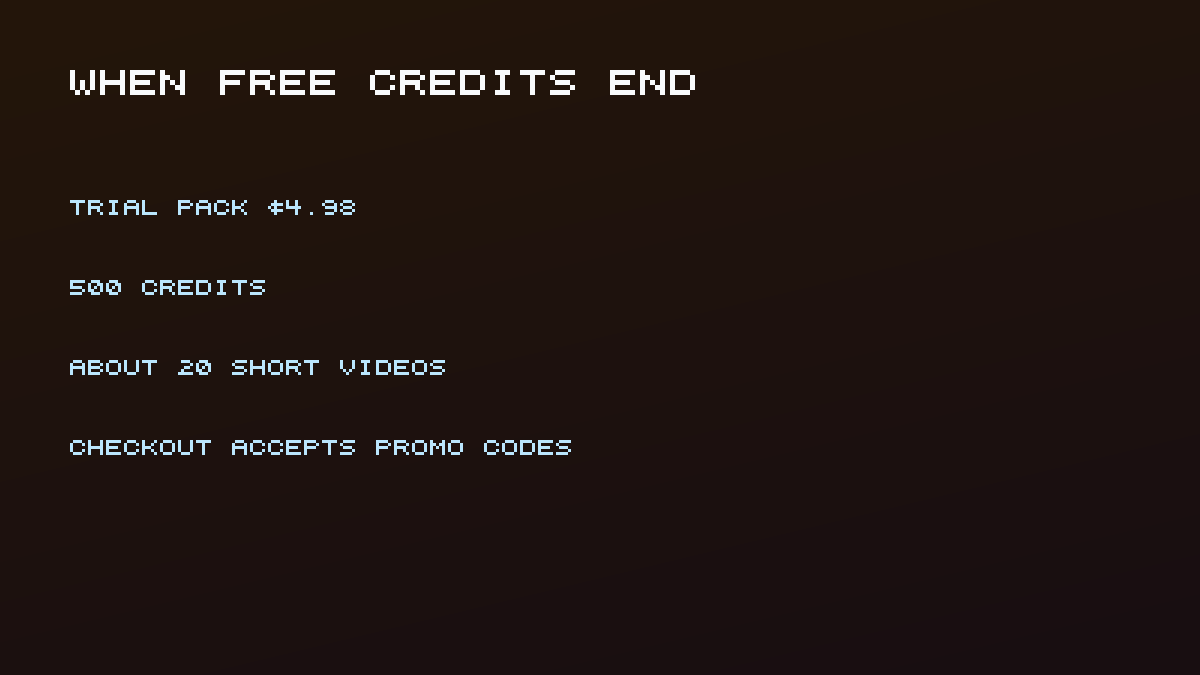
- When the grant is gone, the Trial Pack is $4.98 for 500 credits. Checkout accepts a promotion code. SuperGrok is $30 a month if you need official Imagine.
- Pick a tool
- Claim welcome credits
- Generate once
- Check in
- Review
- Top up
- Mistakes
- License
- If generation fails
- FAQ
Prerequisites
- A browser and a Google account (for this site or for Flow)
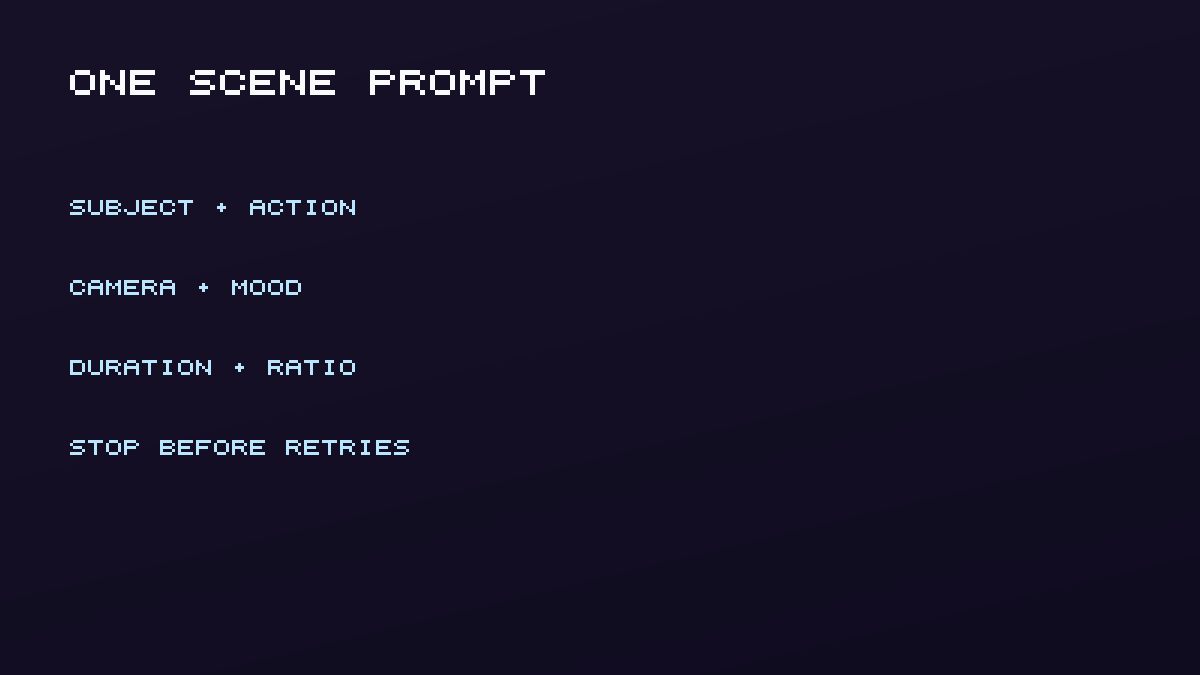
- One specific scene: subject, action, camera, mood. Not "make it viral"
- 20 minutes for signup plus the first generation
- Difficulty: Beginner
- Honesty: this walkthrough uses this site's credit table. Other tools use their own meters
Step 1: Pick a free-start tool that matches the job
By the end of this step you will know which meter you are spending: a daily cloud grant, a monthly refill, a one-time pile, or this site's welcome plus check-in wallet.
- Grok-style image plus short video: this workspace. 30 welcome credits. Open the Grok video generator and keep the 30-credit Seedance 1.5 Pro 4s/480p trial.
- Published daily Veo Lite quota: Google Flow. 50 credits a day, 10 per Veo 3.1 Lite, which is five Lite generations if you spend nothing else (Flow Help). One request can emit two videos, so do not budget five unique scenes from those 50 credits until you see what the job returns.
- Monthly stylized shorts: Pika Basic, 80 credits, 12 per 5-second 480p text-to-video (Pika pricing).
- Talking avatar, personal only: HeyGen Free, 3 videos a month, watermarked, non-commercial (pricing, terms).
- Edit and post: CapCut after you already have a clip. Check every asset license (Materials License).
Do not open four tools and generate in all of them on day one. That is how free tiers die before you have a keeper.
Create with Flow is worth watching if you chose Google. How To Create AI Videos from Text is useful if you are still comparing Kling, Veo, Pika, and Runway.
Step 2: Sign up and claim the welcome credits
Signup should leave a visible balance, not a credit-card charge. On this site, create an account with Google; the welcome gift is 30 credits with no card required, and eligible new accounts can then join the check-in journey in step 4. If the header shows 0, do not generate: refresh first. Official Grok is a different account, paying SuperGrok does not add credits here, and this workspace does not bypass xAI limits.
Step 3: Write a one-scene prompt, then generate once
The goal is one clip, not five near-duplicates. Name the subject, one verb, the camera move, one lighting look, and the cheap preset. On this site the documented cheapest text-to-video trial is 30 credits (Seedance 1.5 Pro, 4 seconds, 480p), so the 30-credit welcome gift covers that run with nothing left over. Do not raise duration, resolution, or model if the on-screen cost climbs above 30. The pricing page still estimates packs at 25 credits per short video; that estimate is for pack math, not the day-one sticker.
A prompt that spends one clip instead of five retries looks like this:
A red commuter bicycle locked to a wet railing at dusk. Light rain, neon shop signs reflecting in puddles. Slow push-in from a locked-off wide shot. Cinematic, no text overlay.
Change one noun if the first result is wrong. Do not add a second location, a second character, and a style swap in the same retry.
Verify: you see a finished preview in the workbench or History. If the job fails on this workspace, wait for the automatic refund before you retry. Failed runs that still debit the balance are the fastest way to waste a free day.
If the still is stronger than the motion, send that frame to image to video instead of rewriting the whole prompt.
Step 4: Check in daily instead of burning the balance
Check-in days 1-7 grant 3, 3, 6, 3, 3, 3, 9 credits (30 total). Combined with the welcome 30, that is 60 credits: two 30-credit Seedance trials, or three images at 20 each if you skip video. Days 8-12 unlock prompt packs. Day 13 completes the journey and grants no extra credits. Missed days pause progress; they do not reset the journey so you cannot farm a second 30. This is not "20 daily credits forever," and older template copy elsewhere on the internet is wrong for this product.
If you chose Flow instead, spend Lite first. Fifty daily credits at 10 each is five Lite generations; unused Flow credits do not roll to tomorrow.
| Stage | Credits | What it buys on this site |
|---|---|---|
| Welcome gift | 30 | One Seedance 1.5 Pro 4s/480p trial (30) |
| Check-in days 1-7 | +30 | A second 30-credit trial, or three images at 20 each |
| Days 8-12 | 0 extra credits | Prompt packs, not more video runs |
| Day 13 | 0 extra credits | Journey complete |
| Trial Pack | 500 for $4.98 | Pricing page estimate: ~20 videos at 25 credits, or 25 images |
Step 5: Review, download, or iterate before buying
Watch the first clip once without prompting again. If identity or product detail is wrong, change one prompt noun rather than gambling another 30-credit trial on the same sentence. Download only what you will actually use; History keeps the rest. If you will post commercially, re-read the vendor license now, not after the ad is live. The stretch goal is one variation the next day from check-in credits, not five variations tonight.
Step 6: When free credits run out, choose a small top-up
The next number should be a price, not a vague "upgrade." Official SuperGrok is $30 a month and still watermarks Imagine output (pricing, FAQ). HeyGen Creator is $29 a month if you need avatars plus commercial features. Pika Standard starts at $8 a month on the yearly toggle.
On this site, the first paid step is the Trial Pack at $4.98 for 500 credits. The pricing page estimates that pack as about 20 short videos or 25 images using 25 credits per video and 20 per image. The checkout page accepts a promotion code if you have one. If a campaign code exists, paste it at checkout. This article does not invent a discount rate.
These prices are not equivalent products. SuperGrok is official Imagine. Creator is avatars. Pika Standard is stylized shorts. The Trial Pack is credits on this workspace.
Common mistakes to avoid
Treating "free" as unlimited fails because cloud grants are daily, monthly, one-time, or a short check-in journey, and local Wan 2.2 is unmetered only after you supply a GPU. Spending the welcome gift on retries is worse: a second 30-credit trial would require the check-in stack, so generate once and wait for check-in.
Using HeyGen, Kling Basic, or Luma Free for ads fails the license test. HeyGen Free is personal and non-commercial (terms). Kling Basic is not for commercial use (credit guide). Luma Free and Lite stay personal, and watermarks cannot be removed later (licensing).
Mixing Flow with the Veo API is a budget error. Flow has 50 daily credits (Flow Help), while the Gemini API marks Veo 3.1 free tier as not available (Gemini pricing). Runway Free still watermarks the file even when commercial use is allowed (free plan details). Ignoring CapCut asset contamination can change the license of the whole export (Materials License).
License check before you post
Do this before YouTube, ads, or a client folder, not after.
- Quota tool. Flow, Pika, Runway, HeyGen, Kling, and Luma each have their own commercial row. Quote that row, not a listicle.
- This workspace. Follow this site's terms. The Trial Pack does not change xAI's SuperGrok watermark rules, because this product is independent of xAI.
- Editor assets. In CapCut, inspect every stock clip, sound, and AI asset. One non-commercial item can contaminate the export (Materials License).
- Watermark. Runway Free and Luma Free/Lite keep marks. xAI Imagine keeps a Grok mark even when paid (Grok FAQ). Pika's official Basic table lists no watermark. Confirm in-product.
If the clip is only for a personal test, you can skip ads-license review. If it might become an ad later, do the review now.
If the first generation fails
Failed jobs are the fastest way to empty a 30-credit gift. Use this order:
- On this workspace, wait until the balance shows the refund. This product refunds failed video jobs; other vendors may not.
- Confirm duration and resolution still fit the 30-credit Seedance 4s/480p trial (or 10 Flow credits for Veo 3.1 Lite).
- Change one variable: the prompt, the duration, or the start frame. Not all three.
- If the still looks right and the motion does not, continue in image to video instead of another text-to-video spend.
- Stop for the day if the second attempt also fails. Check in tomorrow rather than burning week-one credits on the same sentence.
Queue time is not a refund by itself. A long wait with a finished file still costs the listed credits.
What success looks like
Day one should leave you with one downloaded short clip and no leftover credits after the 30-credit trial, or a Flow Lite generation and leftover daily credits. Day seven should leave a second clip if you checked in and did not retry. You should not see a paywall until that grant is gone.
Frequently asked questions
How long does a first free AI video take?
Signup and one generation is usually under 20 minutes plus model queue time. Queue time is not in your control and is not a credit refund by itself.
Can I use another tool instead of this workspace?
Yes. Flow, Pika, Runway Free, and local Wan are real alternatives. This guide uses this site's numbers because they are first-party. Other meters are in the free AI video generator list.
What should I do if generation fails?
Wait for the refunded balance, then change one variable (prompt, duration, or start frame), not all three.
Is Grok Imagine free on grok.com?
Image and video generation is listed on SuperGrok, not on Free (xAI pricing). Diagnose official messages on the free limit page.
Conclusion
You now have a day-one clip, a seven-day credit calendar, and a $4.98 next step instead of a $30 default. Claim the 30 welcome credits, generate one scene, check in, and open pricing only after the free grant is gone. If you still need official Imagine, follow how to generate video with Grok xAI, budget SuperGrok, and keep the watermark. Tool choice lives in free Grok Imagine alternatives. Editorial ownership is on about; corrections go to contact.